
-
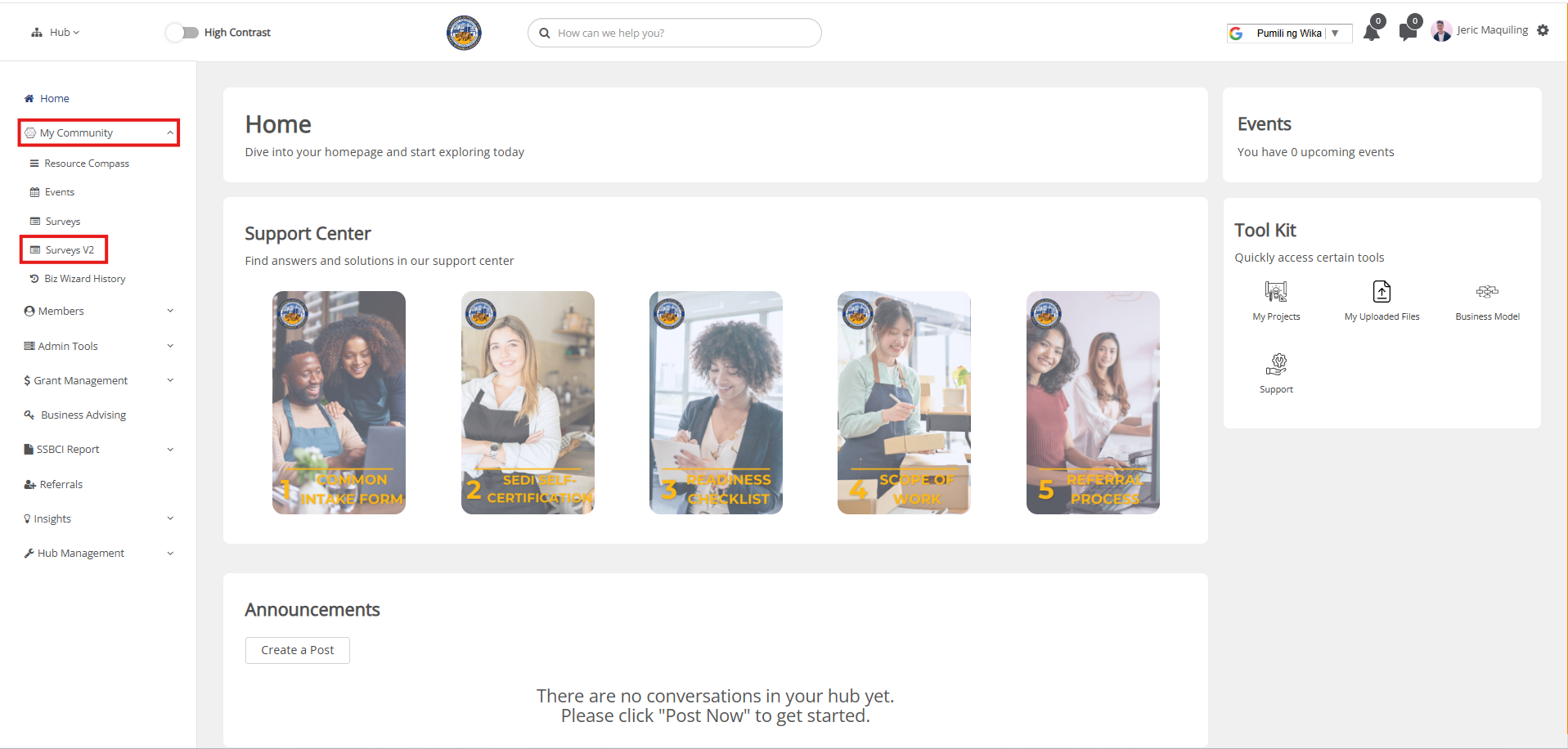
In your moderator view, click on My Community and select Surveys V2 from the dropdown.
-
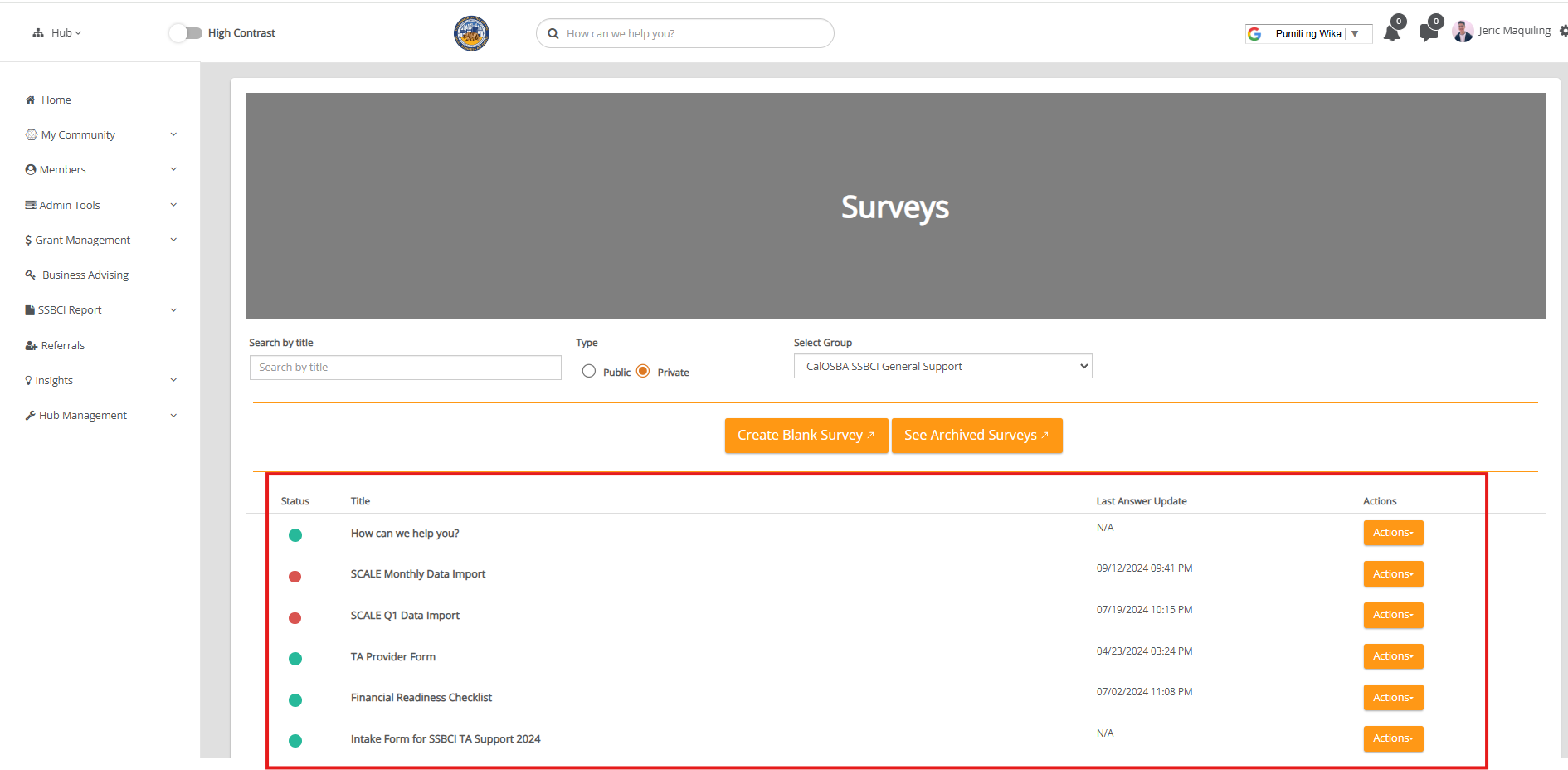
Locate the survey for which you want to download responses.
-
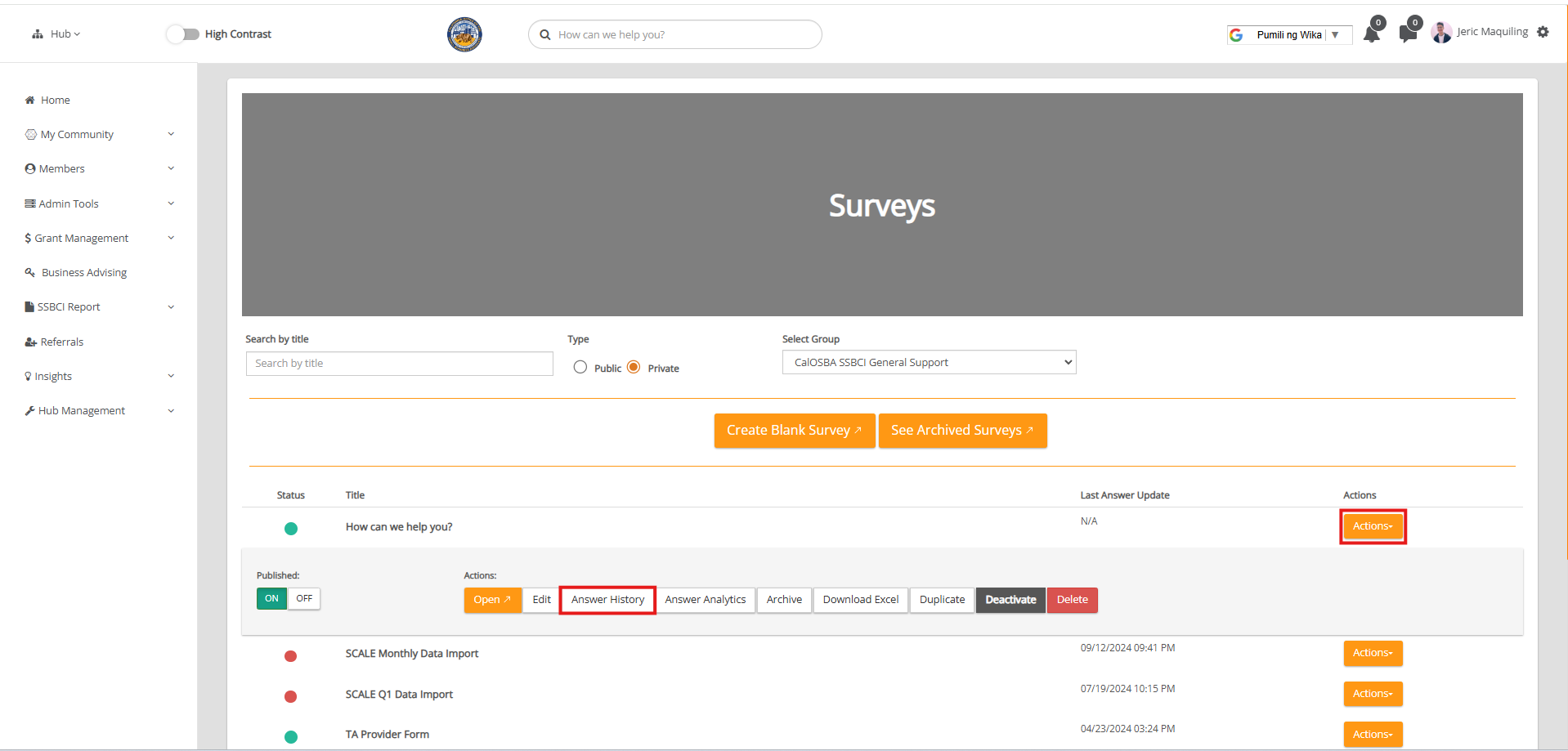
Click on the Actions button next to the survey and select Answer History to view all responses.
-
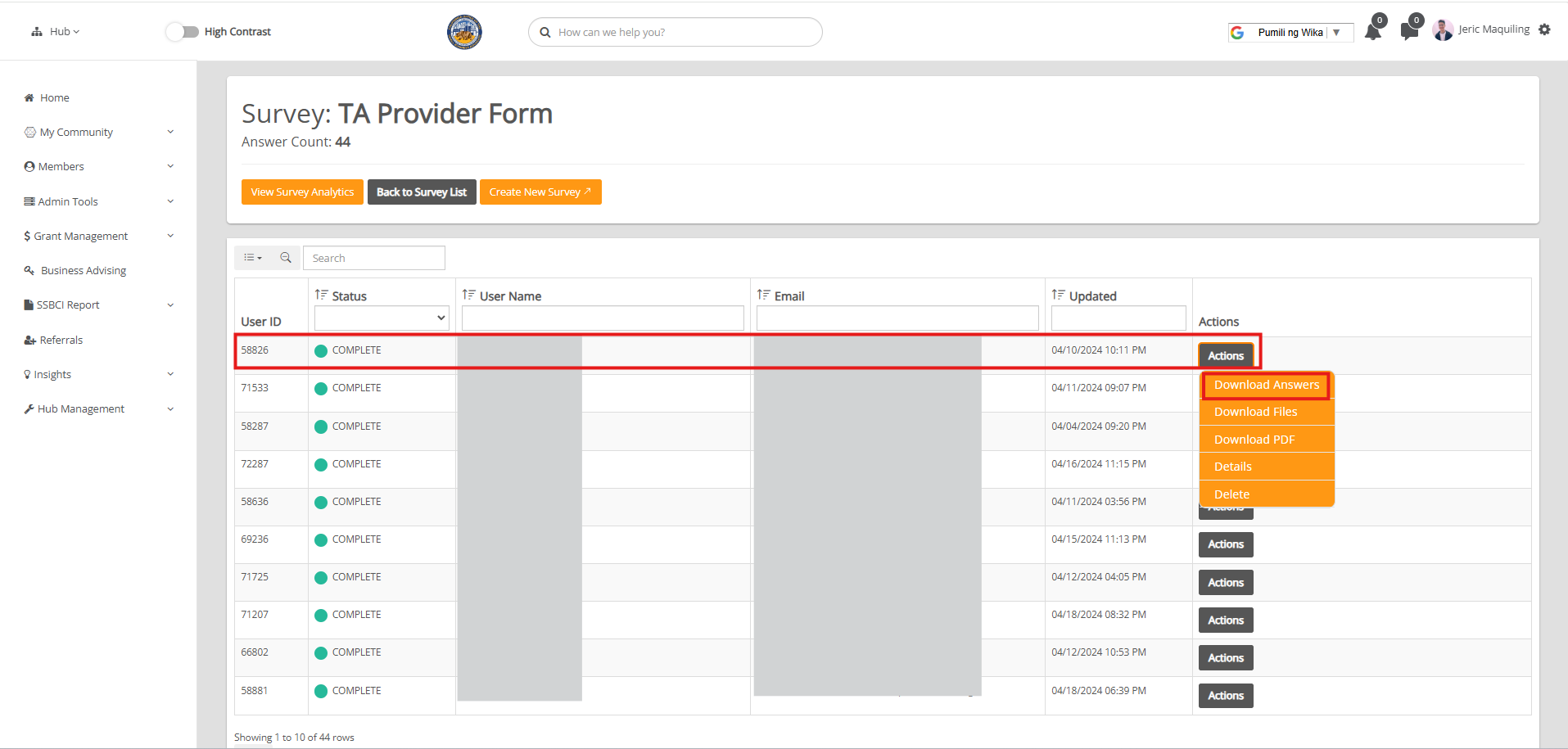
Find the specific user whose response you want to download, then click on Actions next to their name and select Download Answers.
-
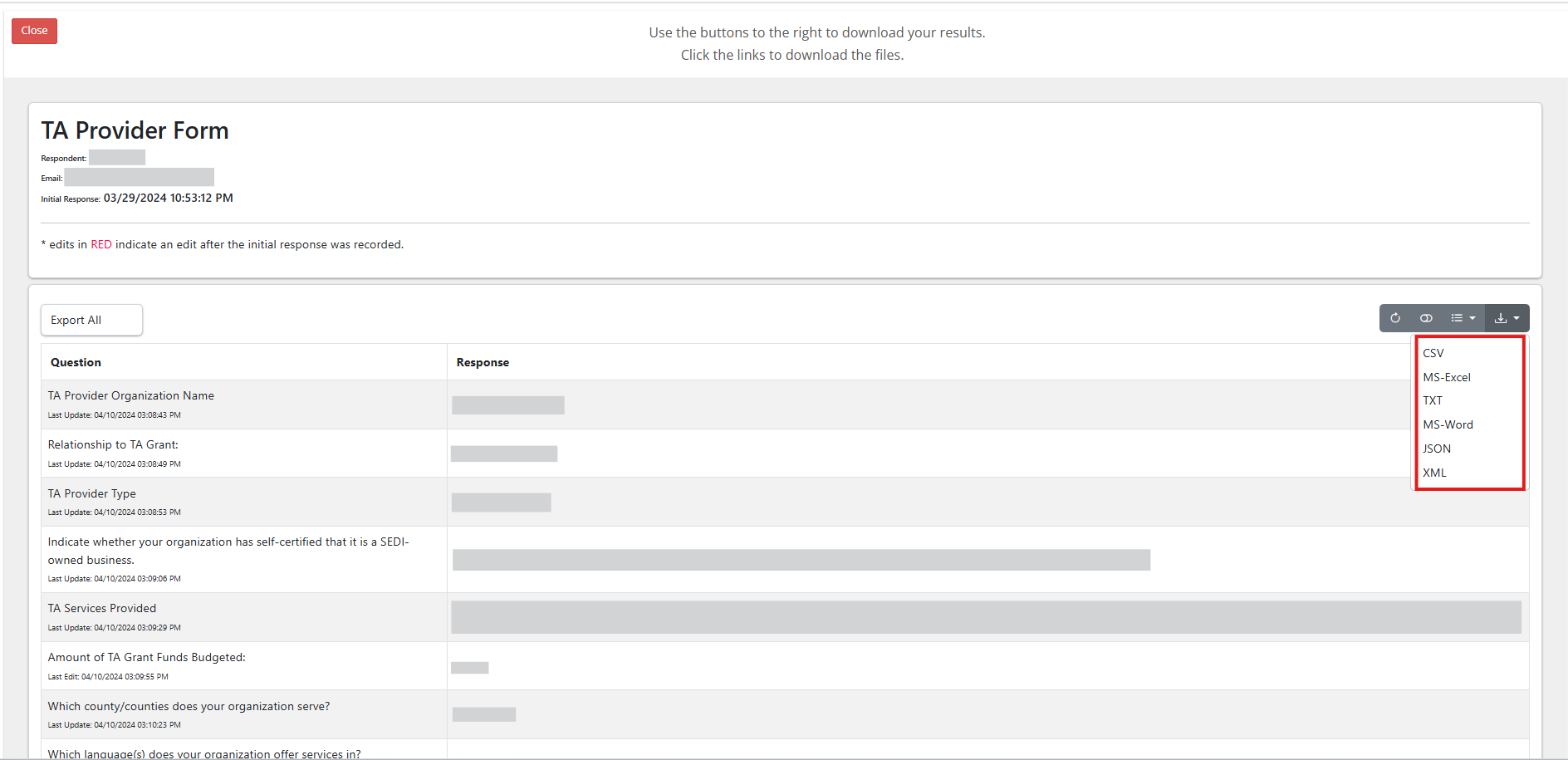
On the page displaying their answers, click the Export icon on the right side and choose MS-Excel as a file format from the export options.
Watch the tutorial video here: Downloading A Survey Response